
FINAL|FINAL
A MacOS writing app built for academics, novelists, or screenplay writers—anyone who needs to focus without losing track of the big picture
App Highlights
Here are some of the many features which make FINAL|FINAL special. While you might find some of these features elsewhere, no other app has them all!
Focus and Zoom
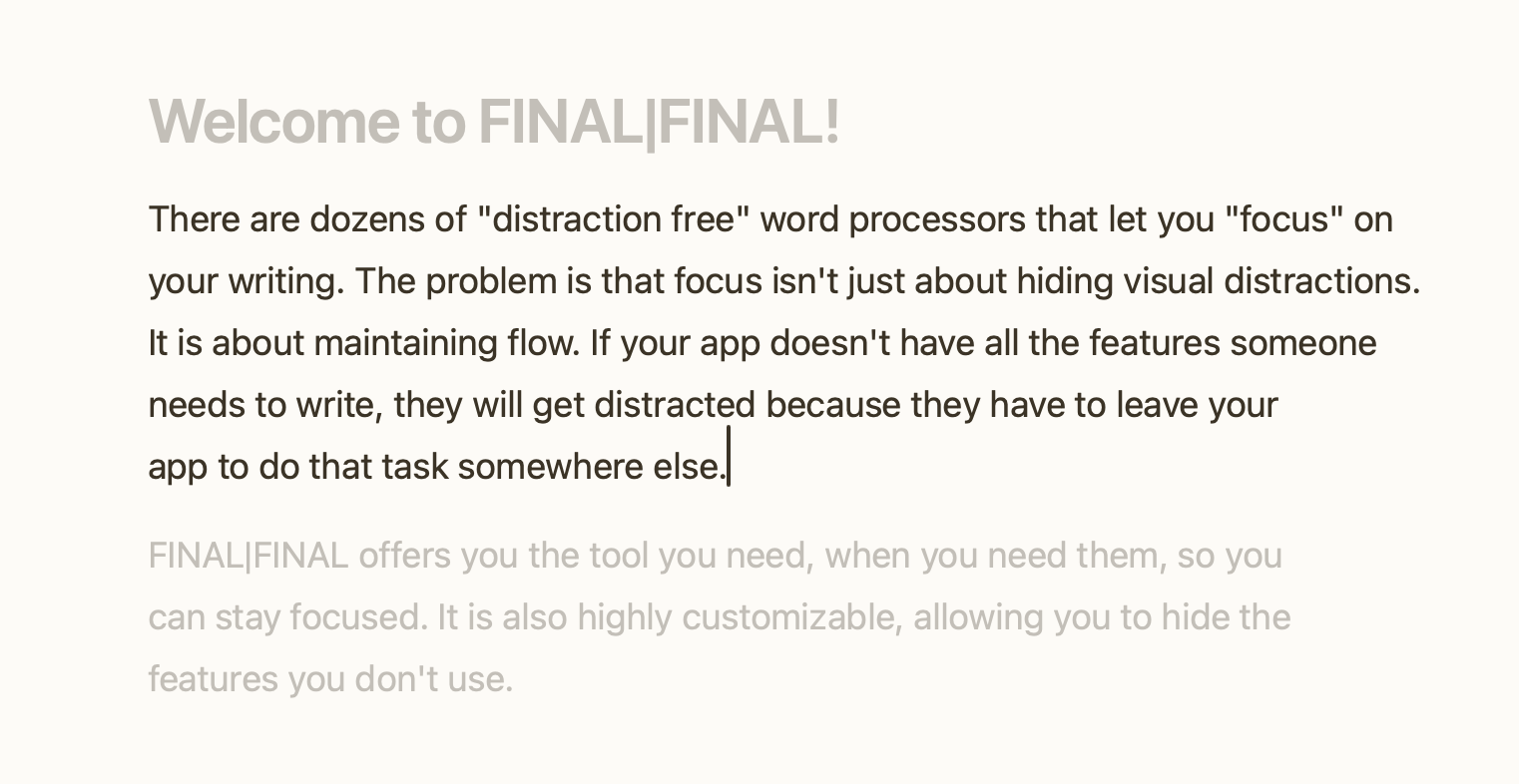
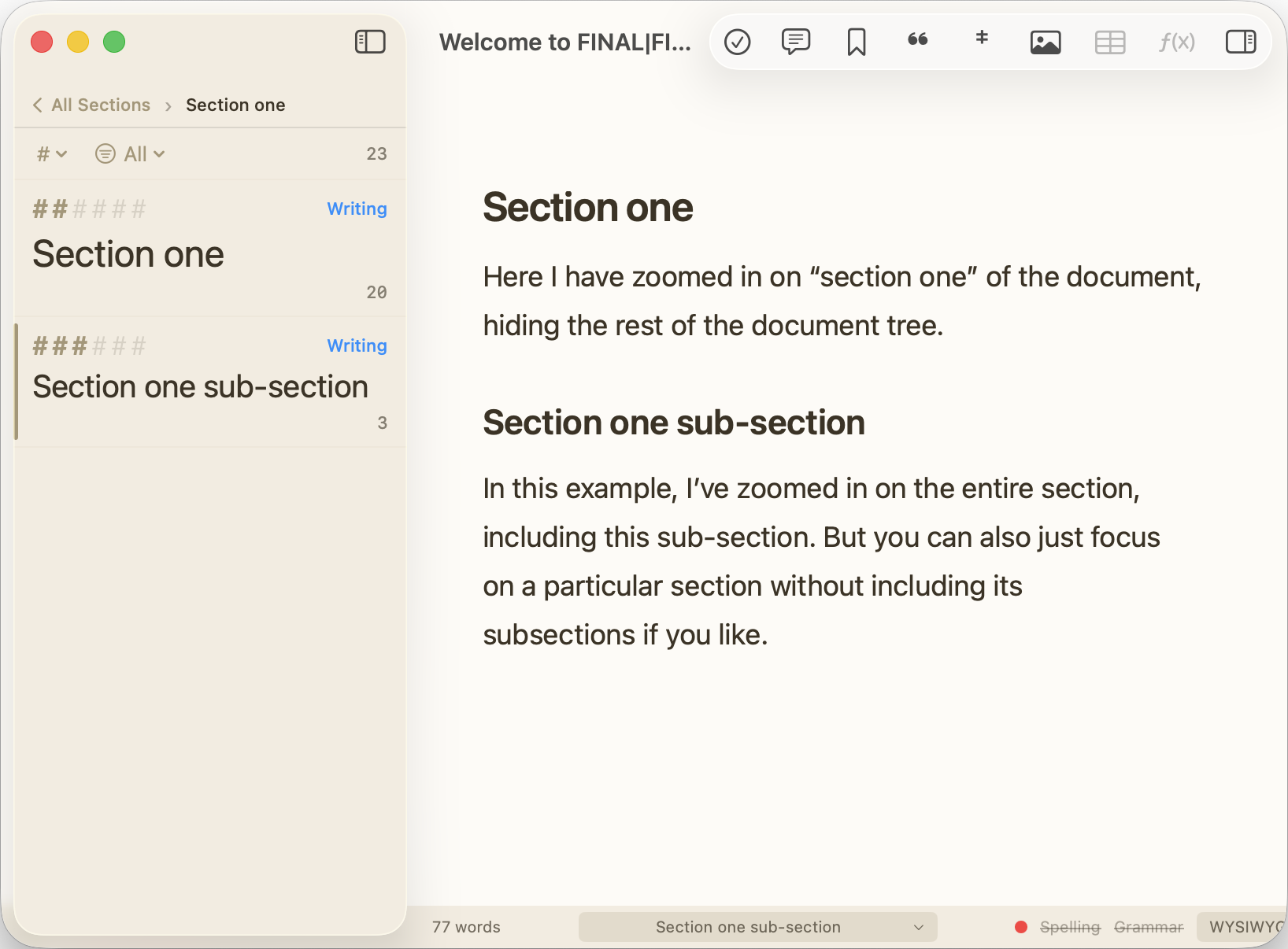
Not only does FINAL|FINAL have a "distraction free" focus mode, it is highly customizable. You can hide everything (sidebars, toolbars, annotations, etc.) except the paragraph you are working on, or you can choose what you want to keep visible. This combines with the ability to zoom in on a particular section of the document, to make it even easier to pick up where you left off if you do get distracted.
Tasks and Comments
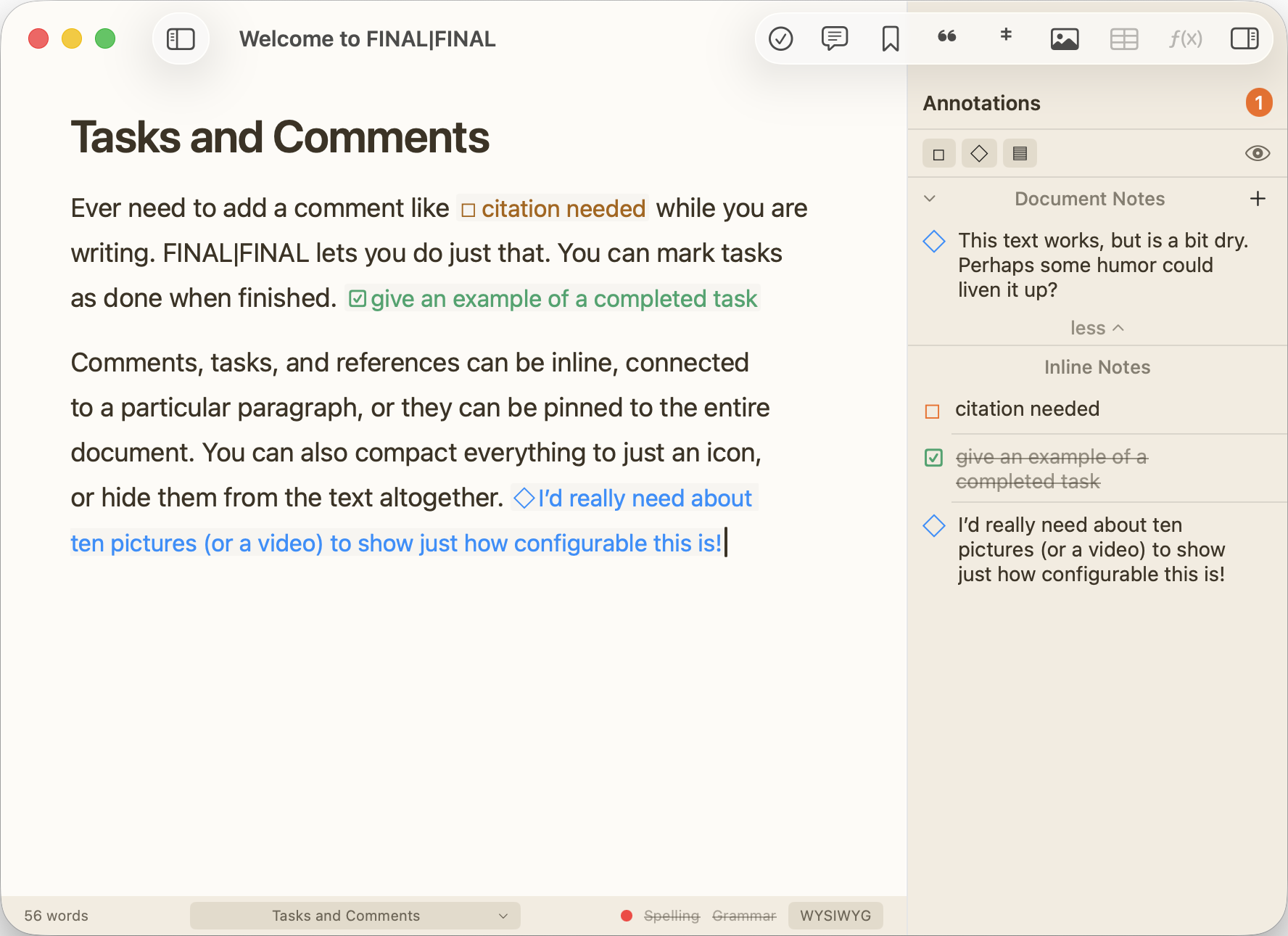
Ever scroll through a document looking for where you wrote "citation needed"? No need for that with FINAL|FINAL. You can insert a task right into the text, and it will give you a task list on the right sidebar. You can jump right to the tasks and check them off as completed when done. And you can leave comments on a particular portion of the text or on the document as a whole.
Versions
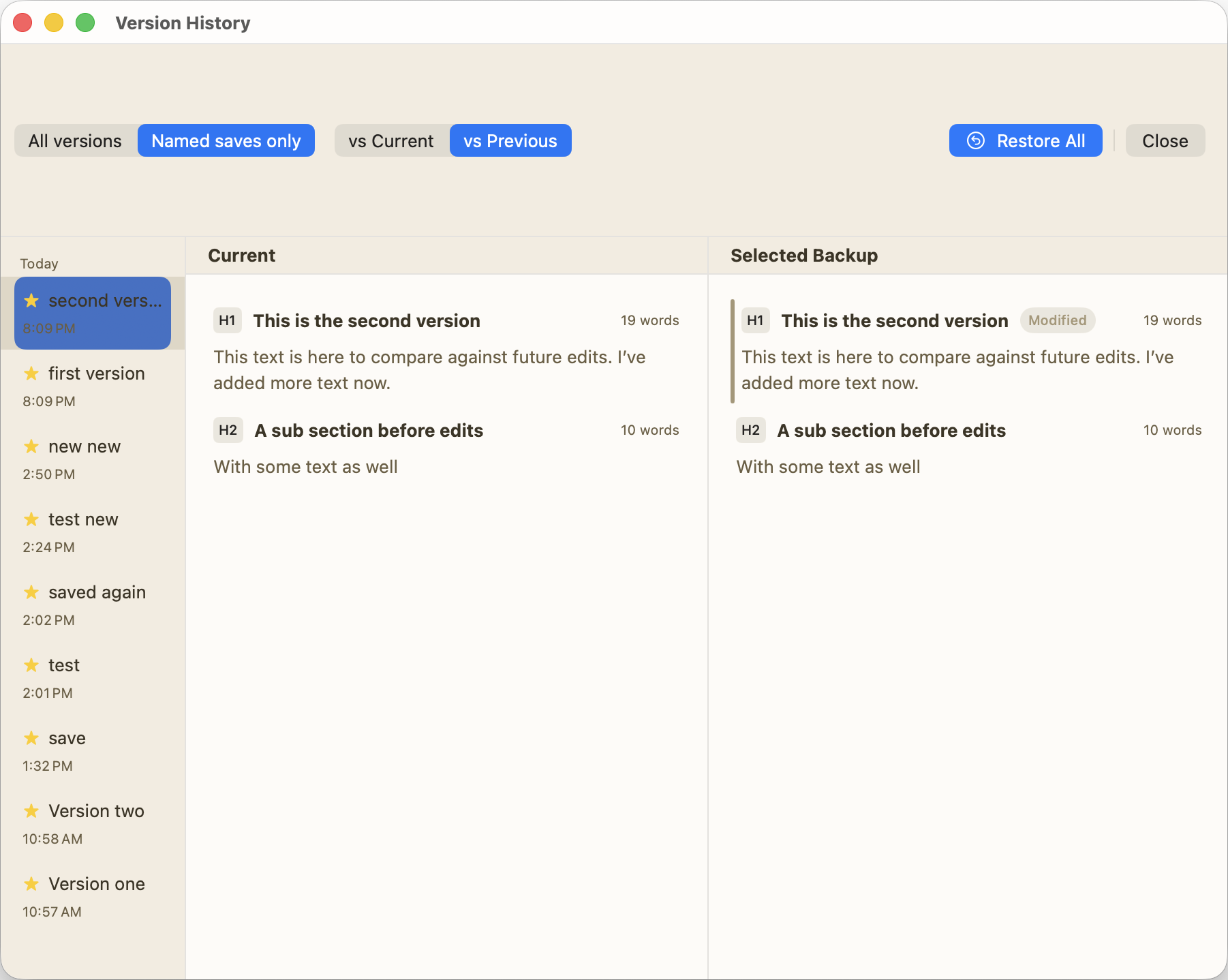
Why is the app called "FINAL|FINAL"? Because it solves the problem of having to save multiple versions of a document. Instead of having multiple documents on your drive, each named "my paper final," or "my paper final FINAL," etc. you can save versions of your document within the project itself. A handy version history viewer lets you see what has changed and lets you roll back the entire document to an earlier version, or just roll back a particular sub-section if you like.
Footnotes and Citations
FINAL|FINAL is designed for academics, so of course there are footnotes and citations. Even better, these can be exported to PDF, Microsoft Word, or Google Docs in a way that lets present a publication ready version of those documents to an editor. When exporting Zotero citations to a word processor, they remain "live" which means you can continue to use the Zotero plugins for Word or Google Docs to edit or reformat your citations.
![Screenshot of FINAL|FINAL showing: Footnote and Citation headings with example text containing a footnote marker and a Zotero citation [@friedmanHegemonyLocalTaiwanese2018]. Below are Notes with the footnote text, and a Bibliography section showing: Friedman, P Kerim. (2018). 'The Hegemony of the Local: Taiwanese Multiculturalism and Indigenous Identity Politics.' Boundary 2 45(3): 79–105.](/images/footnotes-citations.png)
Status and Goals
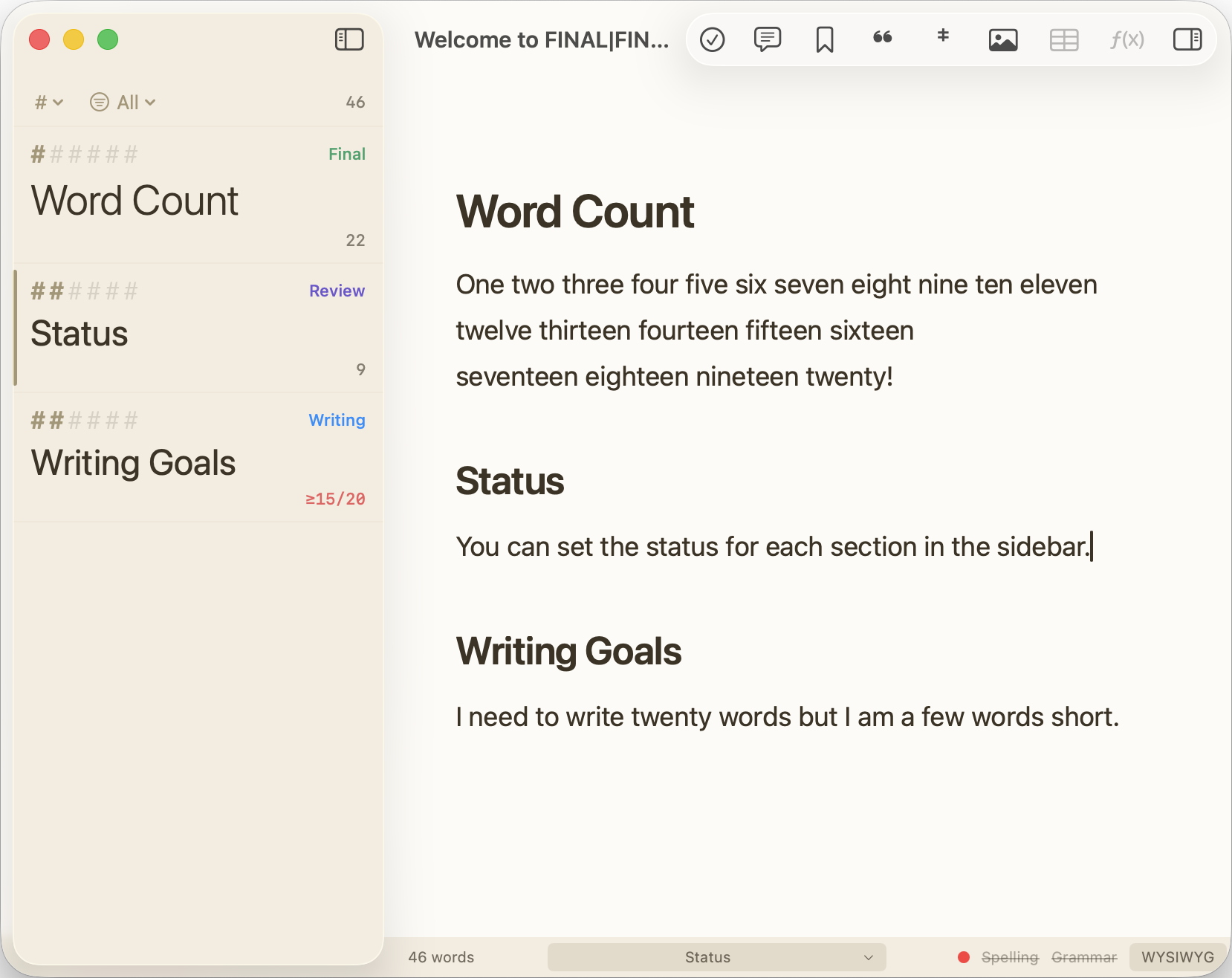
It can be hard, when looking at a long manuscript, to know what you need to do next. FINAL|FINAL lets you set the "status" of each section so you know if it is done, in progress, or up next, etc. You can also set word count goals for the document as a whole, or for each section individually. You can even set aggregate word count goals for a section and all of its sub-sections as well.
Custom Themes
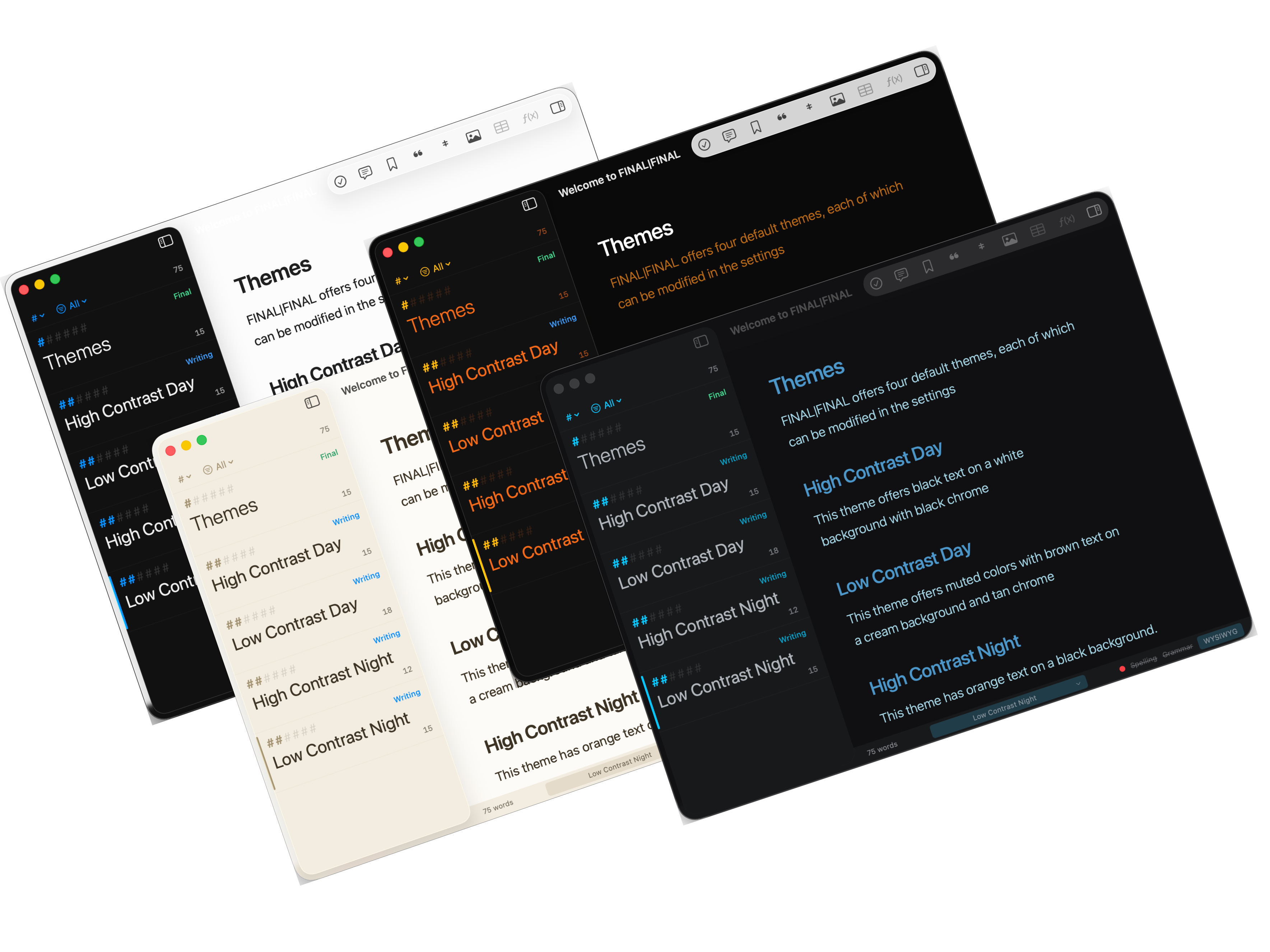
FINAL|FINAL comes with four built-in themes, including both high and low contrast themes as well as night and day themes. You can also build on those themes, changing the colors and fonts to your liking and saving the new theme as a preset.
Markdown Support
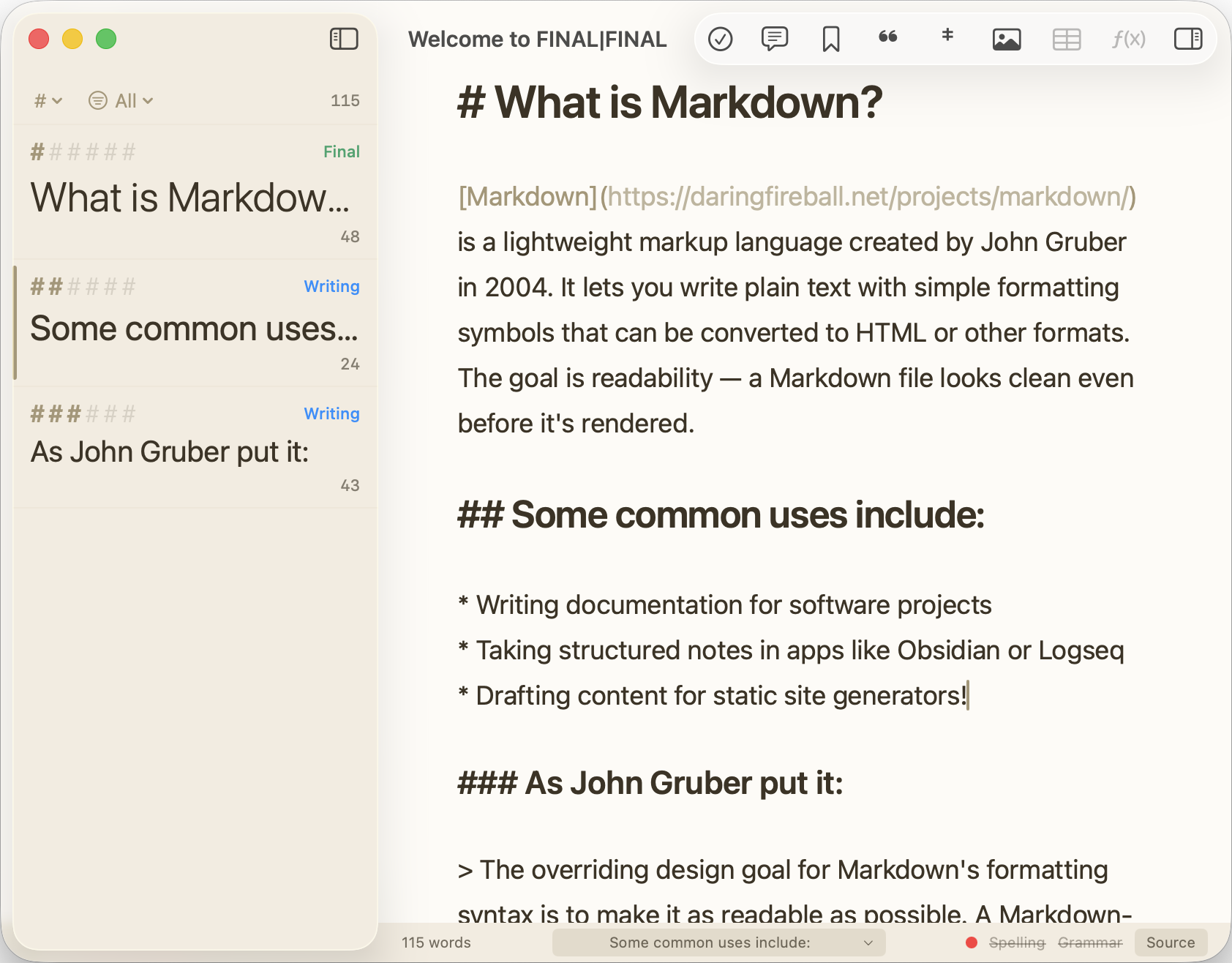
Ever make a small formatting change in Microsoft Word and have it completely reformat your document? To avoid that, FINAL|FINAL is actually two word processors in one. There is a WYSIWYG editor that shows you the formatted text, and a Markdown editor that shows you the raw code. You can move back and forth between them as you like. The experience of editing in the two editors is almost identical, apart from how much of the markup language is revealed to the user.
And Much More
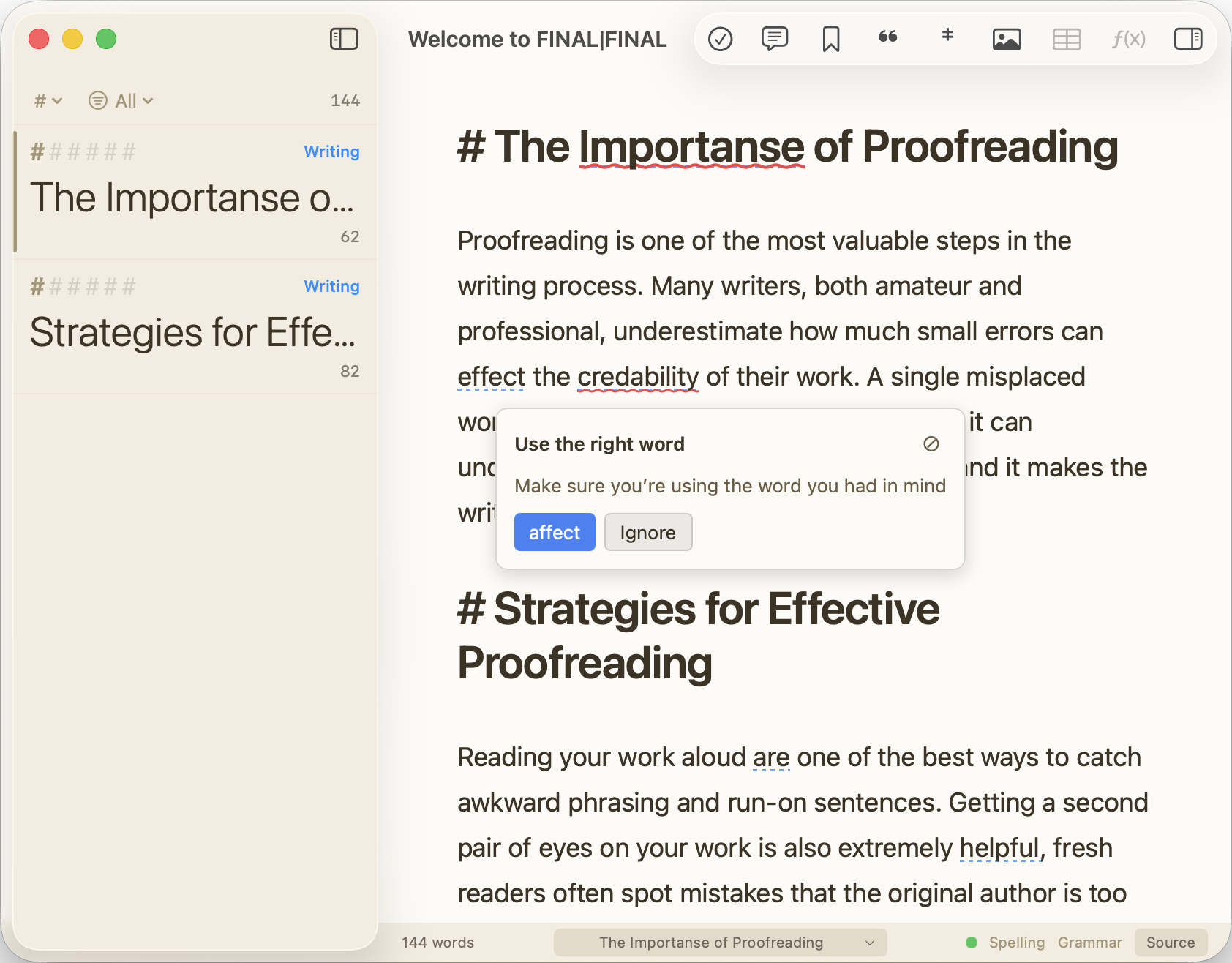
That's just the highlights. FINAL|FINAL is a full featured word processor that has everything you'd expect: spell check, grammar check, images, formatting tool bars, and more.
Frequently Asked Questions
Got questions? We've got answers
Why did you make FINAL|FINAL?
For the past few years I've been writing my essays in Obsidian, using about a dozen plugins to get all the features listed here. But even though the core Obsidian app is well built, the plugins I depended on were not well maintained, and things often broke. Once Claude Code made it possible to write my own app with all of these features built-in, I thought I'd give it a try. Two months later I had a working app!
What platforms does it support?
FINAL|FINAL is a macOS-only application. macOS 15.0 (Sequoia) or newer is required.
Is FINAL|FINAL free?
Yes, it is completely free.
Is FINAL|FINAL open source?
Yes, it is published under a AGPL-3.0 license. Click on the Github link at the top of the page to see the source code.
Will you port this to other platforms such as Windows or Linux? Can I?
That's a tough one. I've written a blog post to answer this question.
What is your privacy policy?
I do not collect statistics or user information of any kind. Of course, if you contact me for help then I will have a record of that request, but that's it.
How do I install it?
Download the latest release from GitHub Releases. Extract the zip, move the app to /Applications. It should just work! (I bought an Apple Developer account just so your computer won't reject the app.)
What external tools does it work with?
FINAL|FINAL integrates with Zotero (and Better BibTeX) for citation management, and Pandoc for advanced export to Word and PDF formats. See the "getting started" documentation within the app's "Help" menu for instructions.
Is it stable enough to use for real work?
FINAL|FINAL is beta software. Core features are implemented and it has a backup and versioning system built-in. Still, you should use all beta software with caution and keep backups outside the app. (I recommend exporting your document to a Markdown file or Word Document on a regular basis while the app is still in development.)
Will you continue to support this app?
I'm already writing my own papers in this app, so it is an essential part of my personal workflow. As long as I continue to write I will continue to maintain this app—unless something better comes along.
What other apps are like FINAL|FINAL?
Scrivener, Ulysses, and Zettlr all doing some similar things and are far more established apps than FINAL|FINAL, but none of them quite met my needs which is why I built this app.
How can I give feedback or report bugs?
Feedback and bug reports can be submitted on the project's GitHub issues page. We'd love to hear from you!
How can I support this project?
I'm glad you asked. Everyone can help simply by using the app and reporting bugs (see above). Those who know how can also suggest improvements to the code by making contributions to the code. I also accept donations to help pay the considerable costs involved in maintaining the app. You can donate via Buy Me a Coffee.